Skip to content

Callwise is for clinics and service businesses that already know Smith.ai, Weave, NexHealth, and Ruby. It picks up when your front deSk can’t, books the appointment, and hands the caller to your team when your rules say so. The screen shows the transcript, the booking, the handoff, and after-hours.

Demo runs locally. No sign-in, no real calls.

Every call anSwered.Every booking made.

What happens on a call

  1. 01

    A patient calls at 12:40. The front desk is at lunch, or already on the other line.

    The phone ringS out. The caller tries the next clinic.

  2. 02

    Callwise picks up on the first ring, day or night, with the greeting you wrote.

    It anSwers with your hours, your services and your prices.

  3. 03

    It checks your services and calendar while the caller is still on the line.

    The booking Sits on your board before the call ends.

  4. 04

    The caller asks for a person. A billing question gets complicated. You decide which rules count.

    Then it passes the call to your team, and Says why.

  5. 05

    Transcript, a short summary, and the recording if you turn recording on.

    Your team can check every call after it endS.

The app, filmed from the demo

Ask about your callS

The Assistant answers from your calls, bookings and callers, shows what it read and links each answer to the records. Demo data.

01The app

Only the data you need to See

Each page shows one set of data and nothing else. These are the three pages the front desk opens most.

01Overview

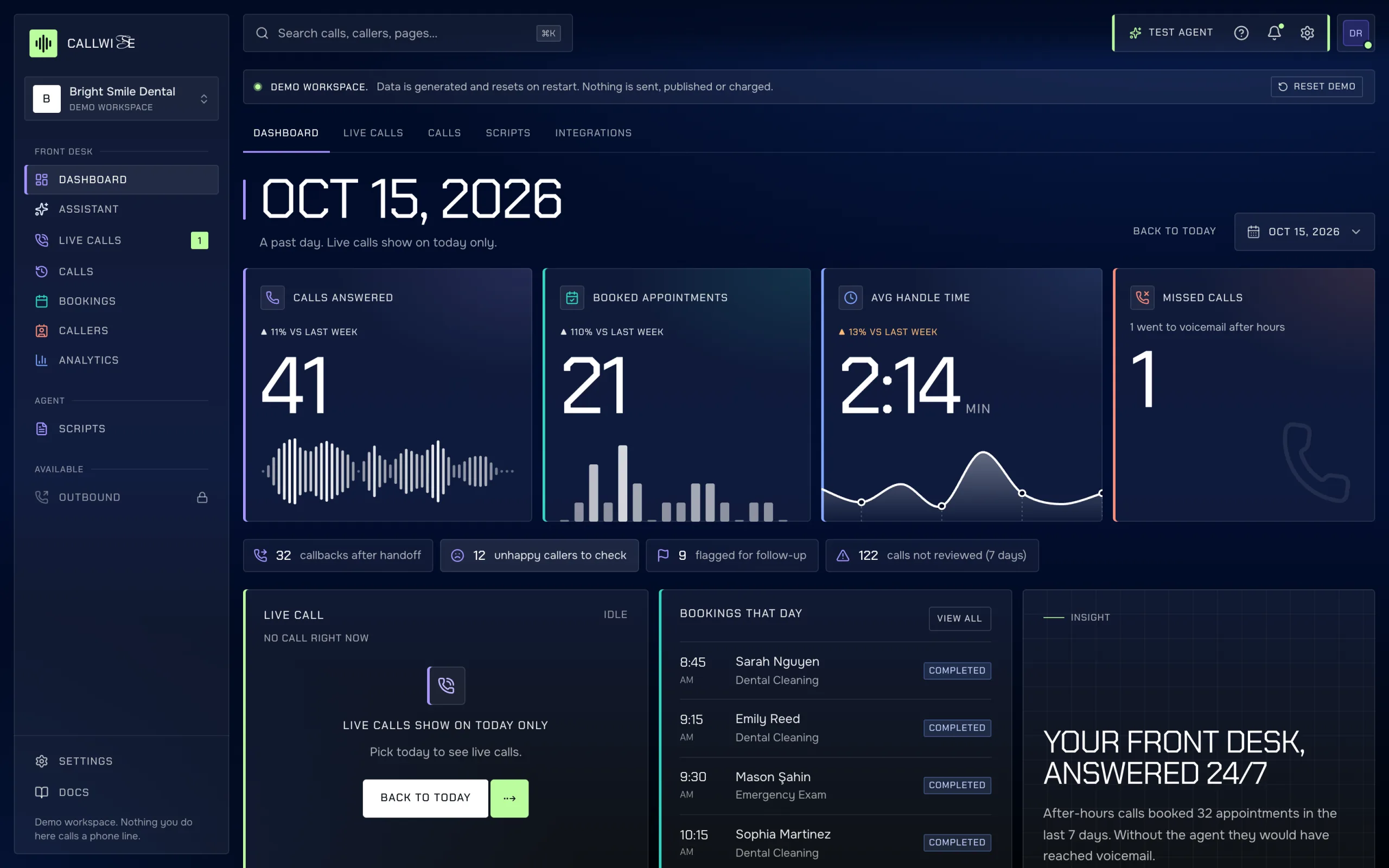
Today’s calls and bookings

/app shows

  • Calls answered, booked appointments, average handle time and missed calls, by hour.
  • The call in progress: transcript so far, intent, confidence, caller number and duration.
  • The next five bookings with their status.
  • Calls waiting for a person: handoffs to call back, negative calls, unreviewed calls.
Overview page with four KPI cards, the live call and upcoming bookings.
callwise-demo-app.vercel.app/app

02Calls

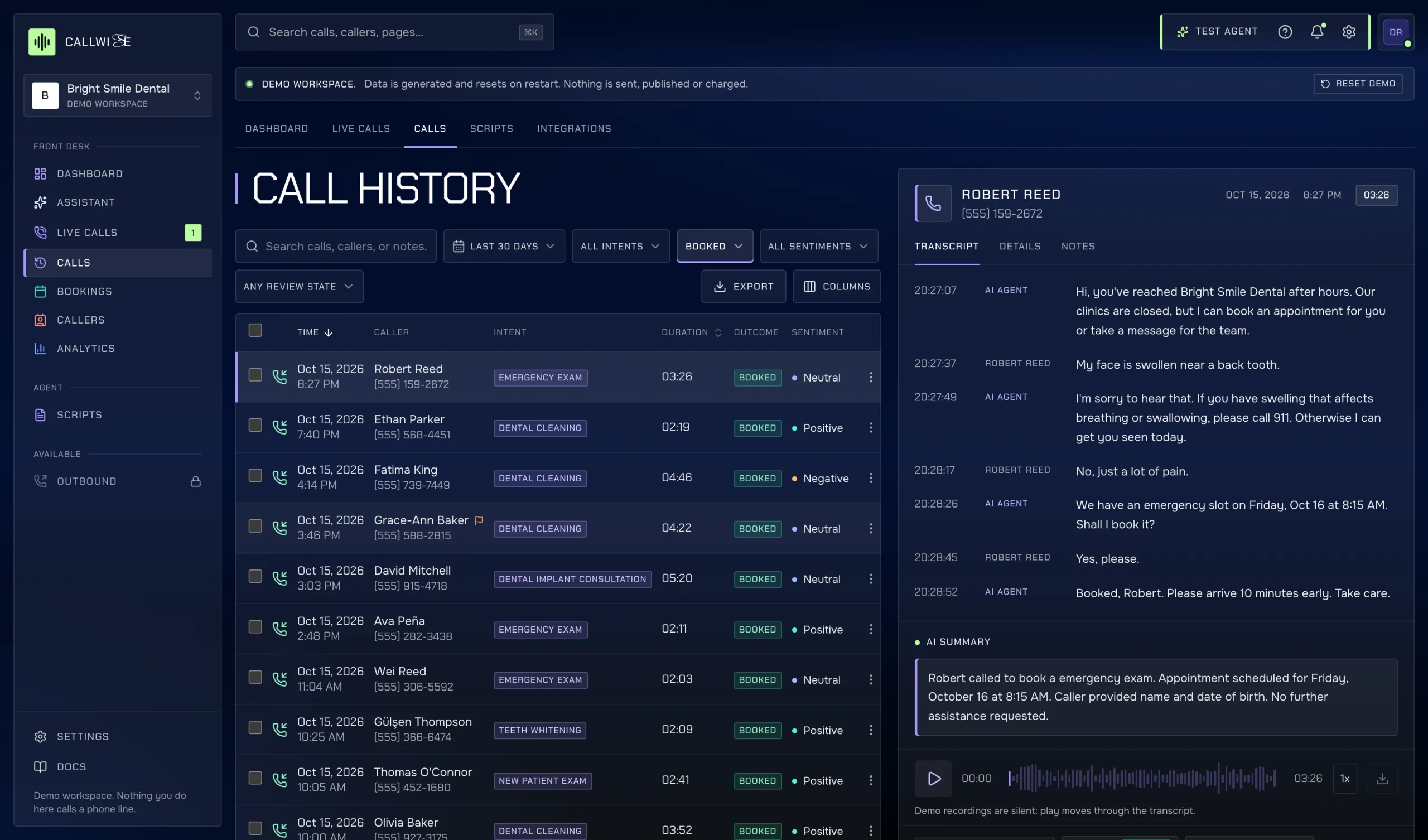
Every call and what happened on it

/app/calls shows

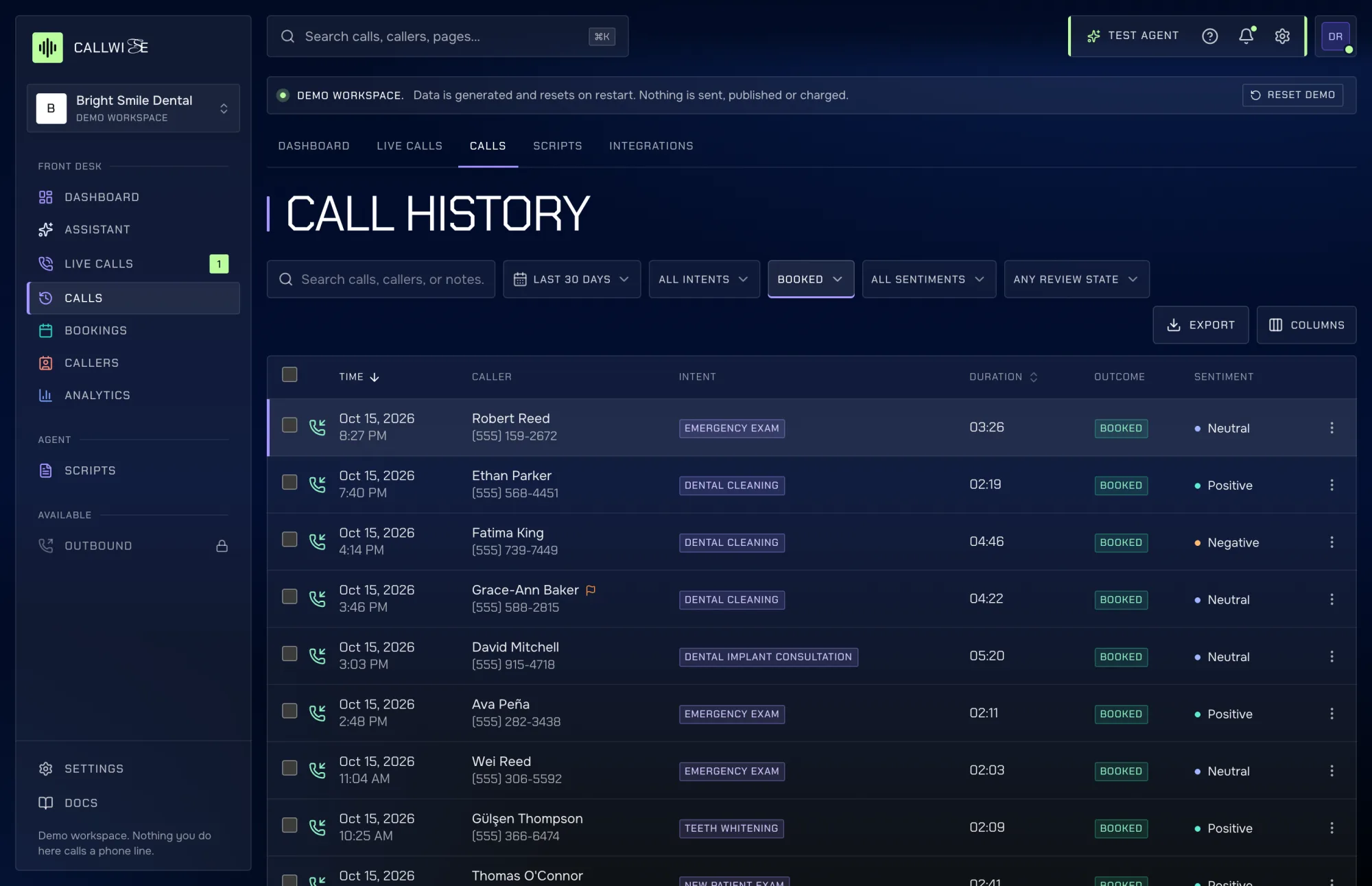
  • A row per call: time, caller, intent, duration, outcome and sentiment.
  • For the selected call: the transcript, a short AI summary and the recording.
  • Who reviewed it and when, any follow-up flag, and the team’s notes.
  • Details: agent and script version used, number dialled, handoff reason, booking made, minutes used.
Calls page: call history table and the selected call with transcript, AI summary and audio player.
callwise-demo-app.vercel.app/app/calls

03Scripts

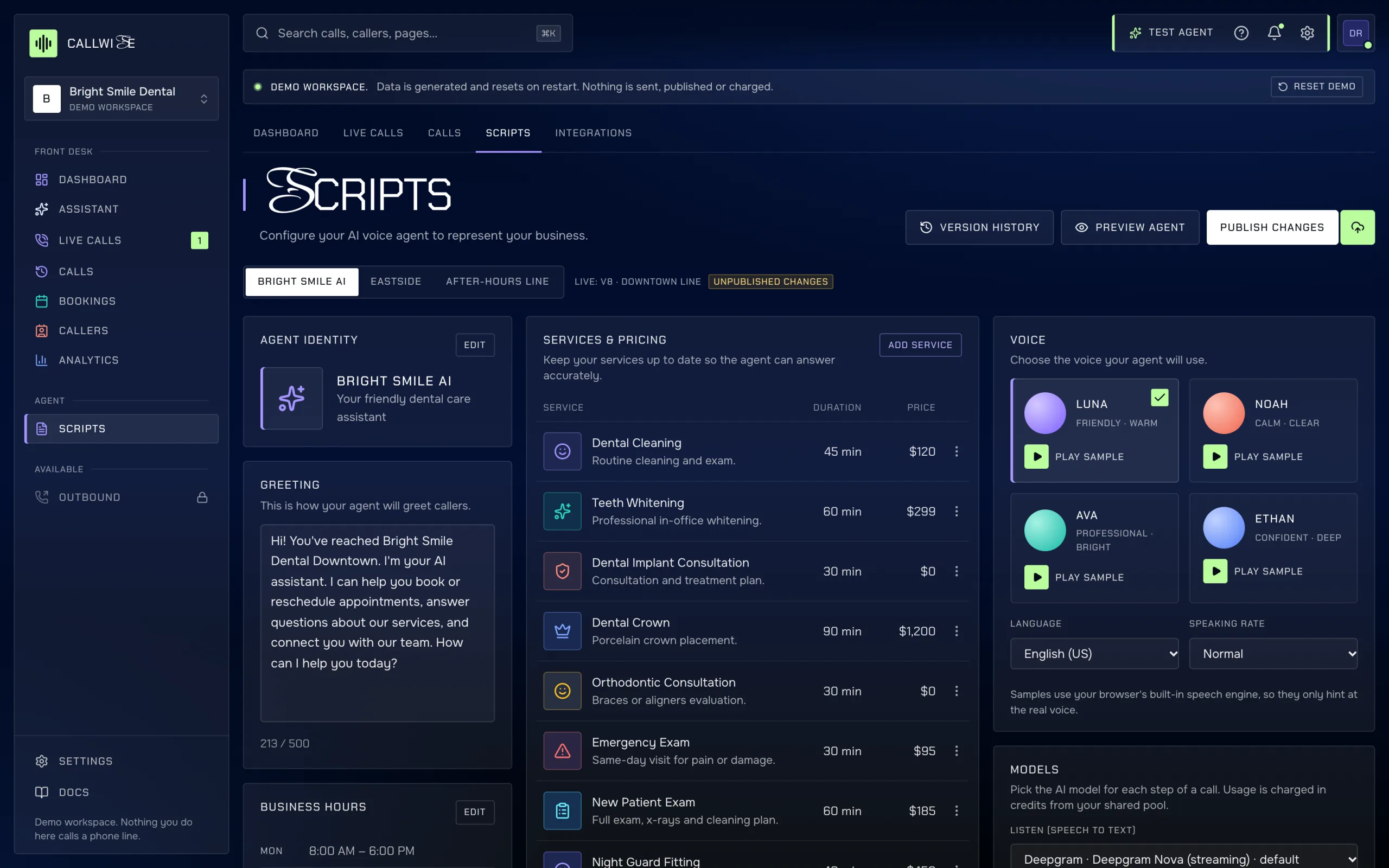
What the agent says and knows

/app/scripts shows

  • The greeting, opening hours, and services with duration and price.
  • The handoff rules that send a caller to a person.
  • The voice, language and speaking rate.
  • The draft, the published version and the version history.
Scripts page: agent identity, greeting, business hours, services and pricing, handoff rules, voice and test panel.
callwise-demo-app.vercel.app/app/scripts

04More pages

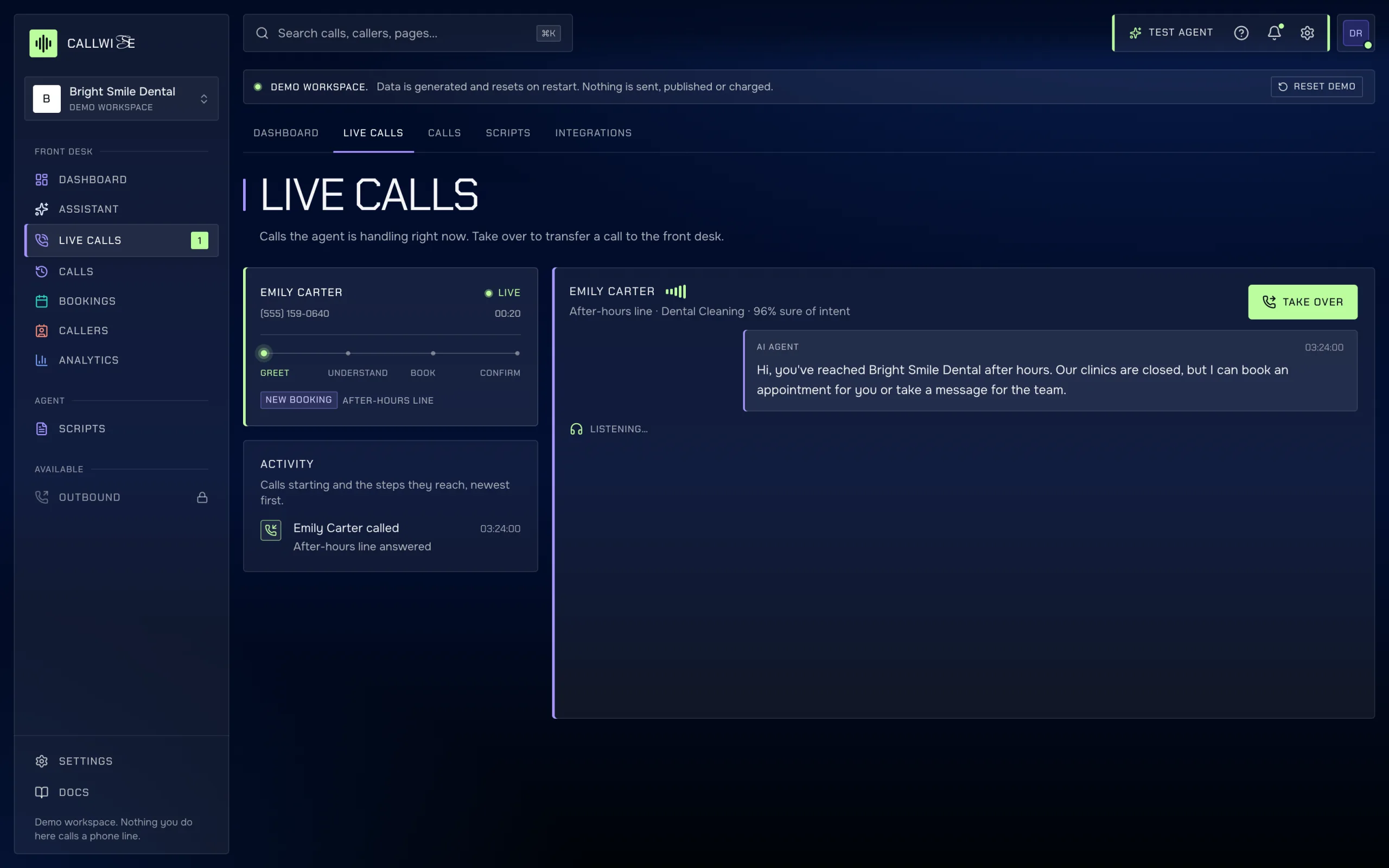
  • Live calls page
    callwise-demo-app.vercel.app/app/live

    Live calls

    Calls in progress with a live transcript. Take over when needed.

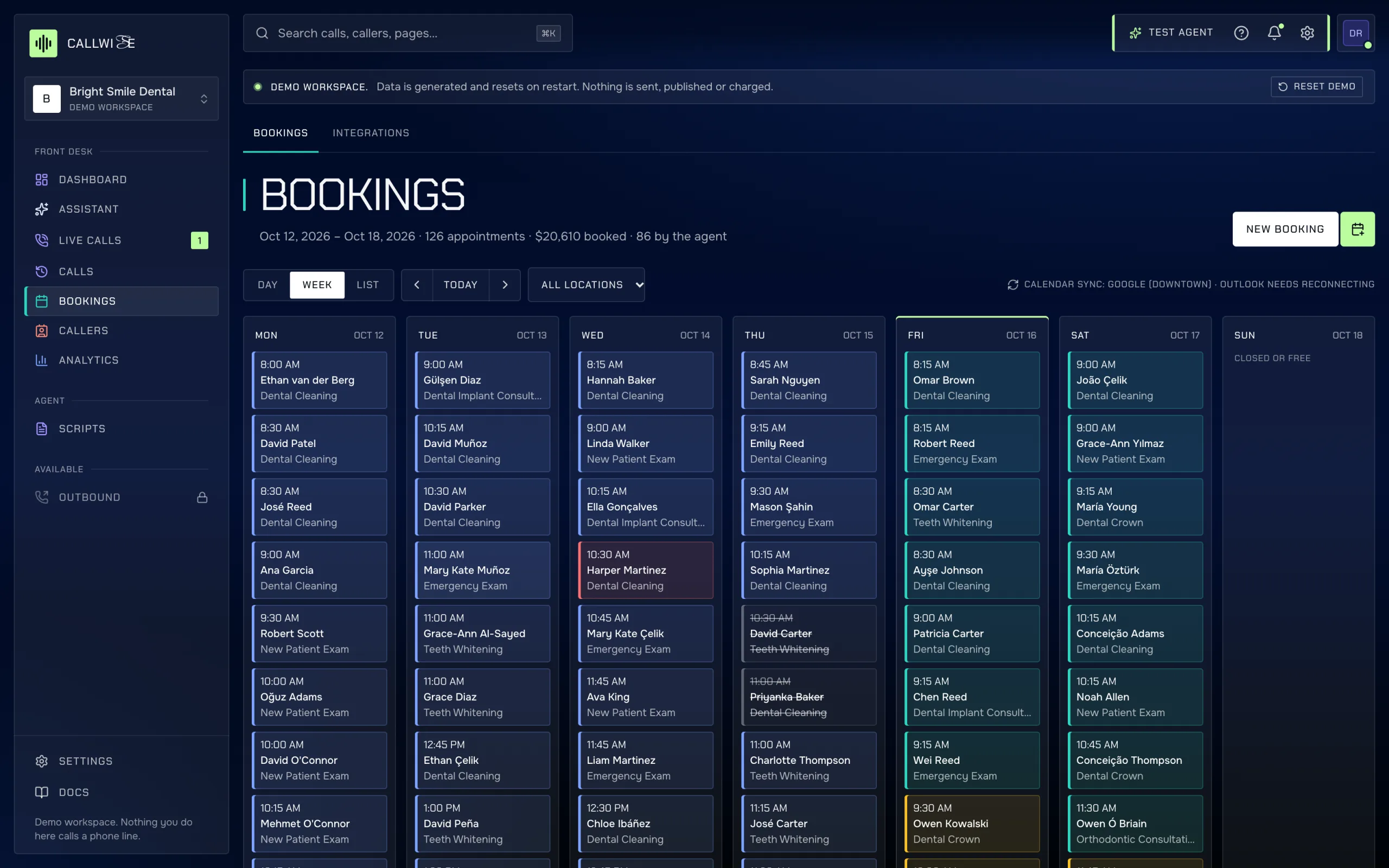
  • Bookings page
    callwise-demo-app.vercel.app/app/bookings

    Bookings

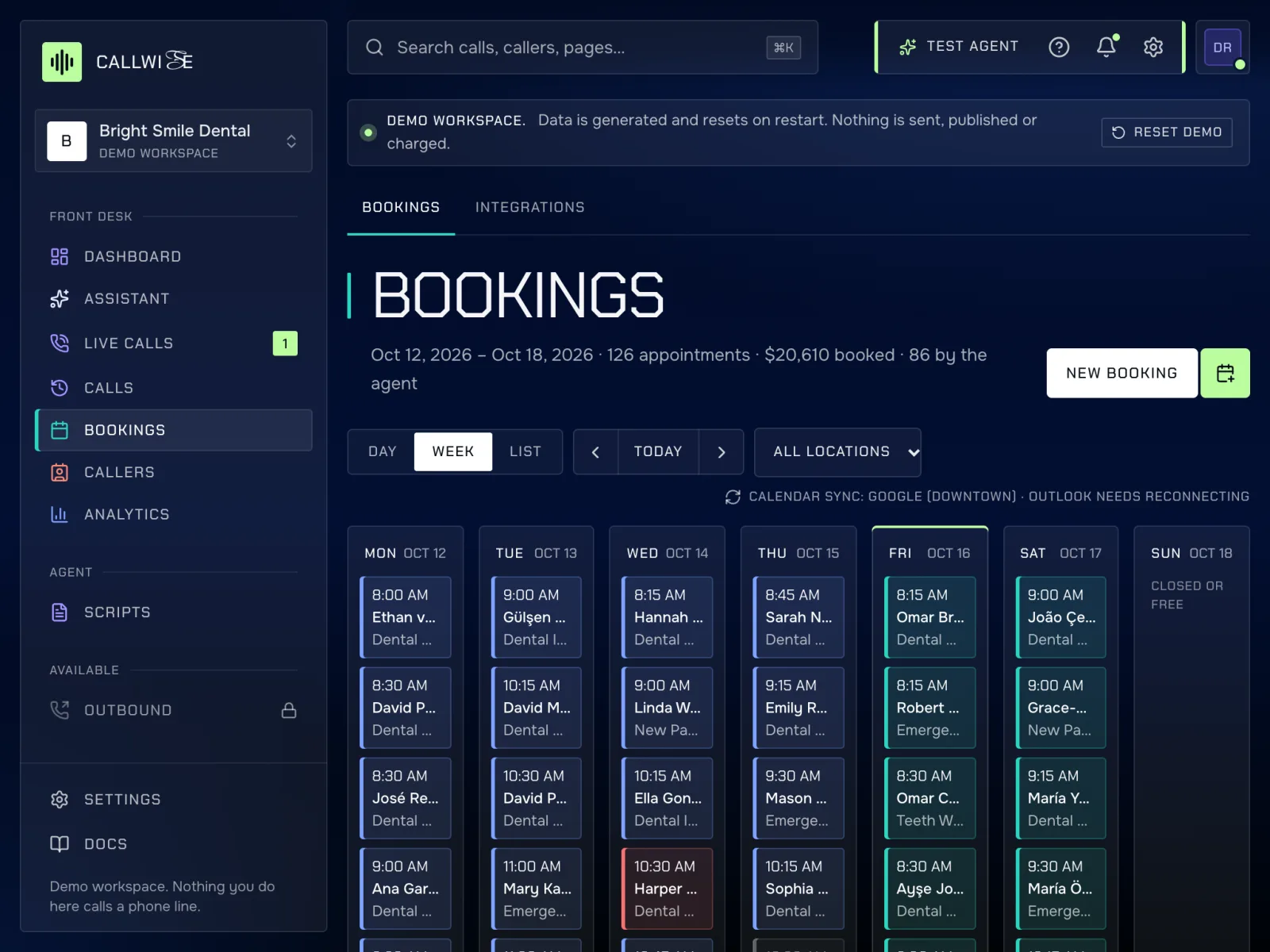
    Day board, week grid and list of appointments, with the call that made each one.

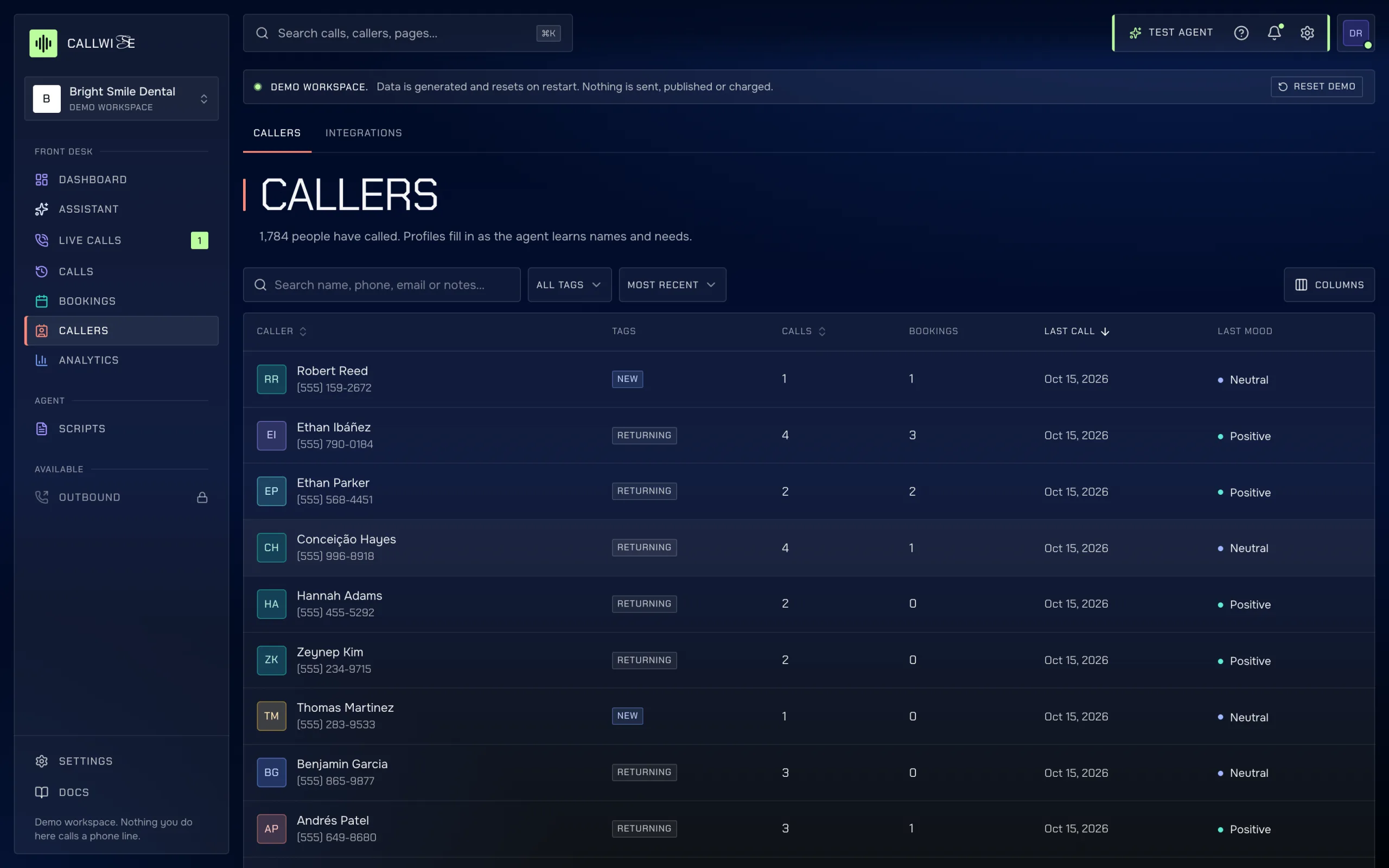
  • Callers page
    callwise-demo-app.vercel.app/app/callers

    Callers

    Caller profiles with call timeline, bookings, notes, tags and data erase.

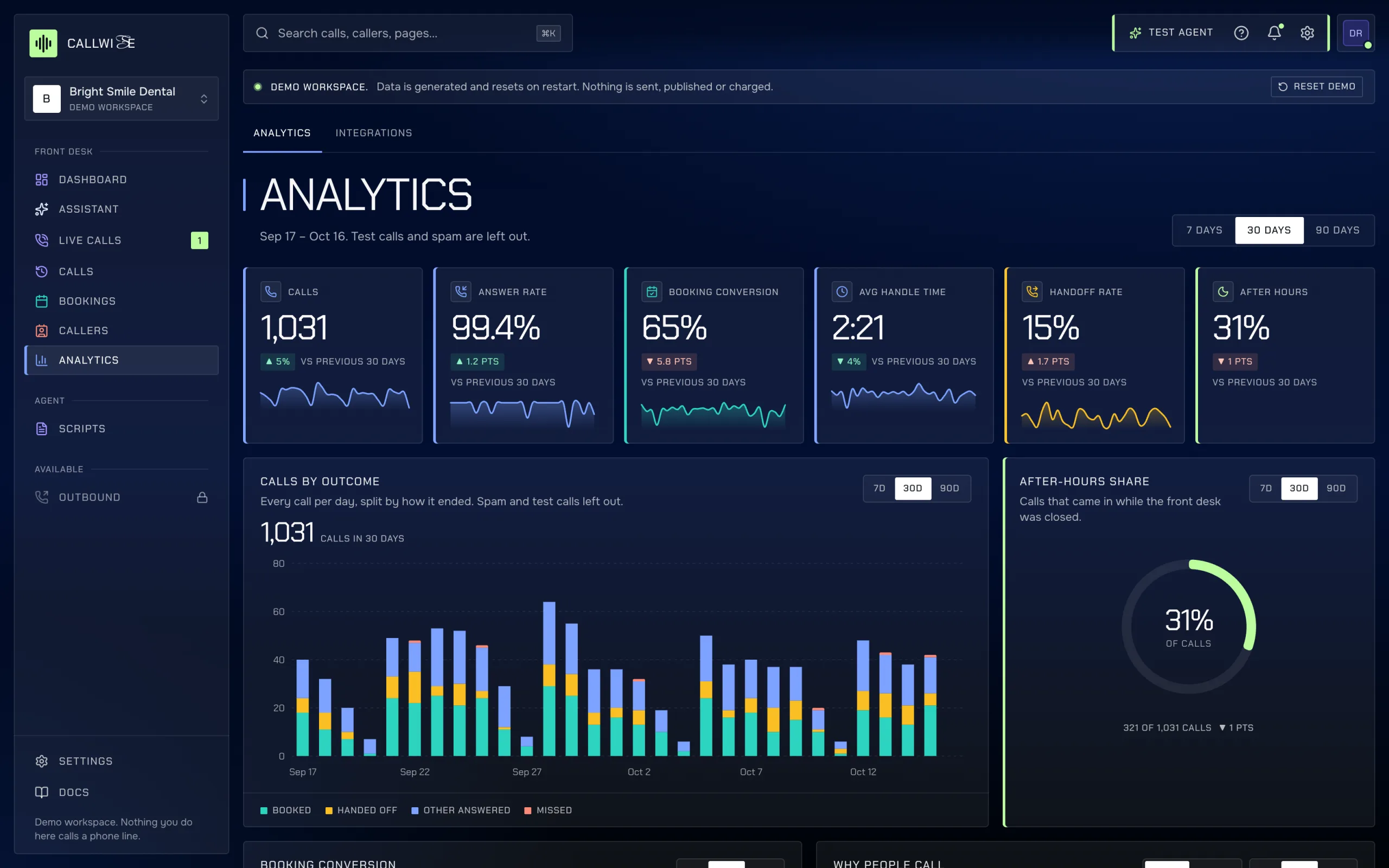
  • Analytics page
    callwise-demo-app.vercel.app/app/analytics

    Analytics

    Trends over 7, 30 or 90 days, outcomes, intents, the hour heatmap and minutes used.

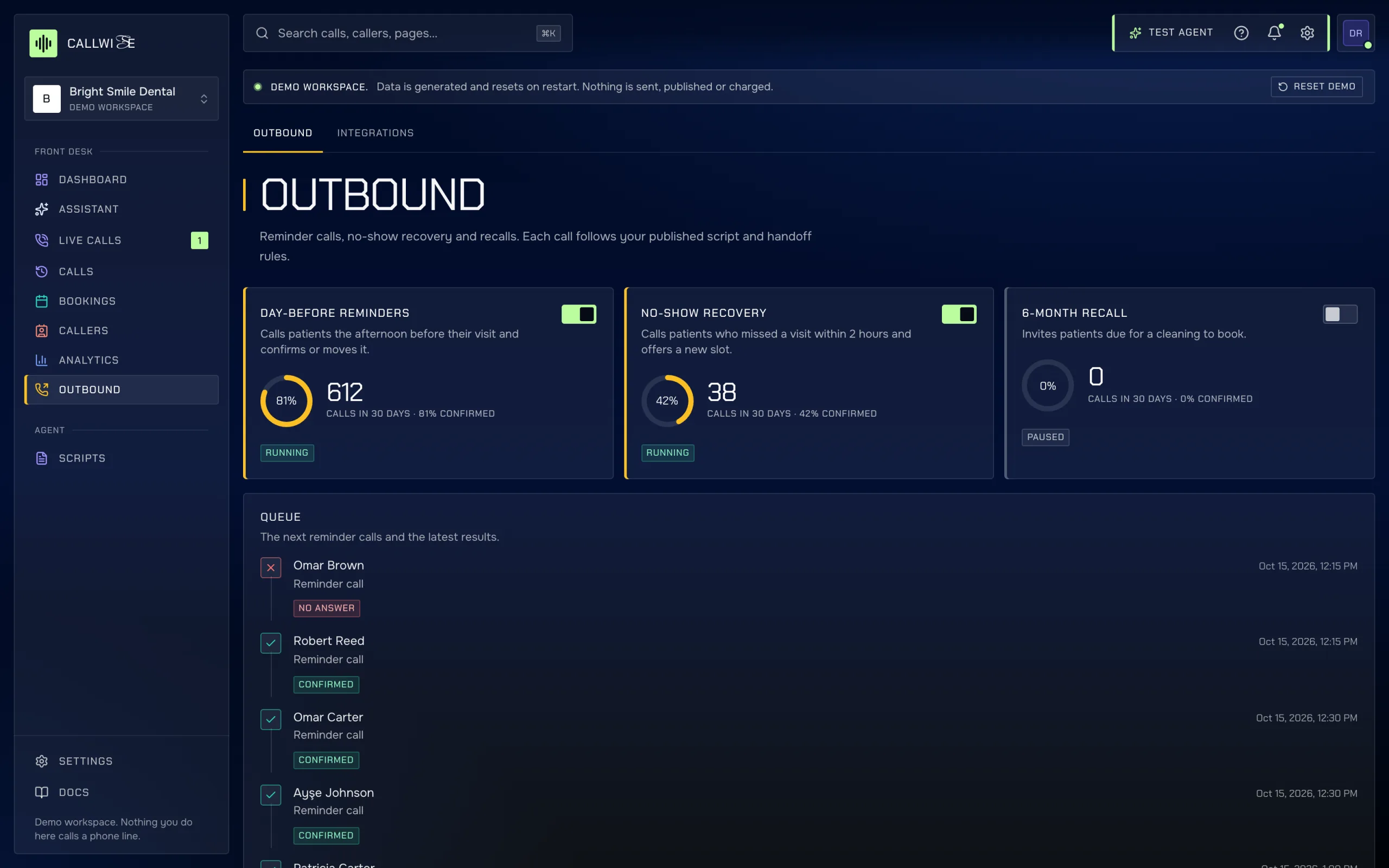
  • Outbound page
    callwise-demo-app.vercel.app/app/outbound

    Outbound

    Reminder campaigns and the queue of scheduled outbound calls.

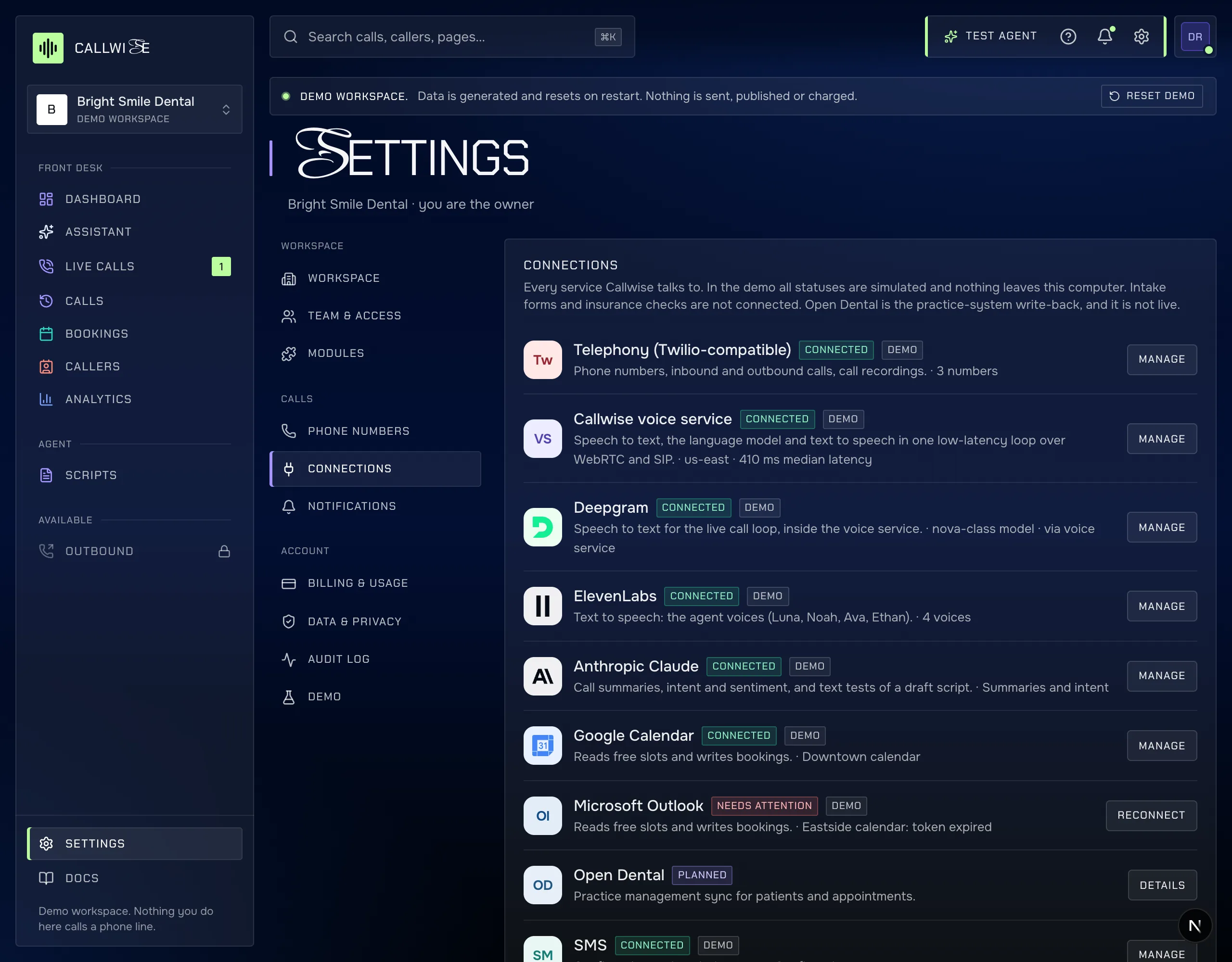
  • Integrations page
    callwise-demo-app.vercel.app/app/settings?tab=connections

    Integrations

    Each connection the modules use, and its state in this build.

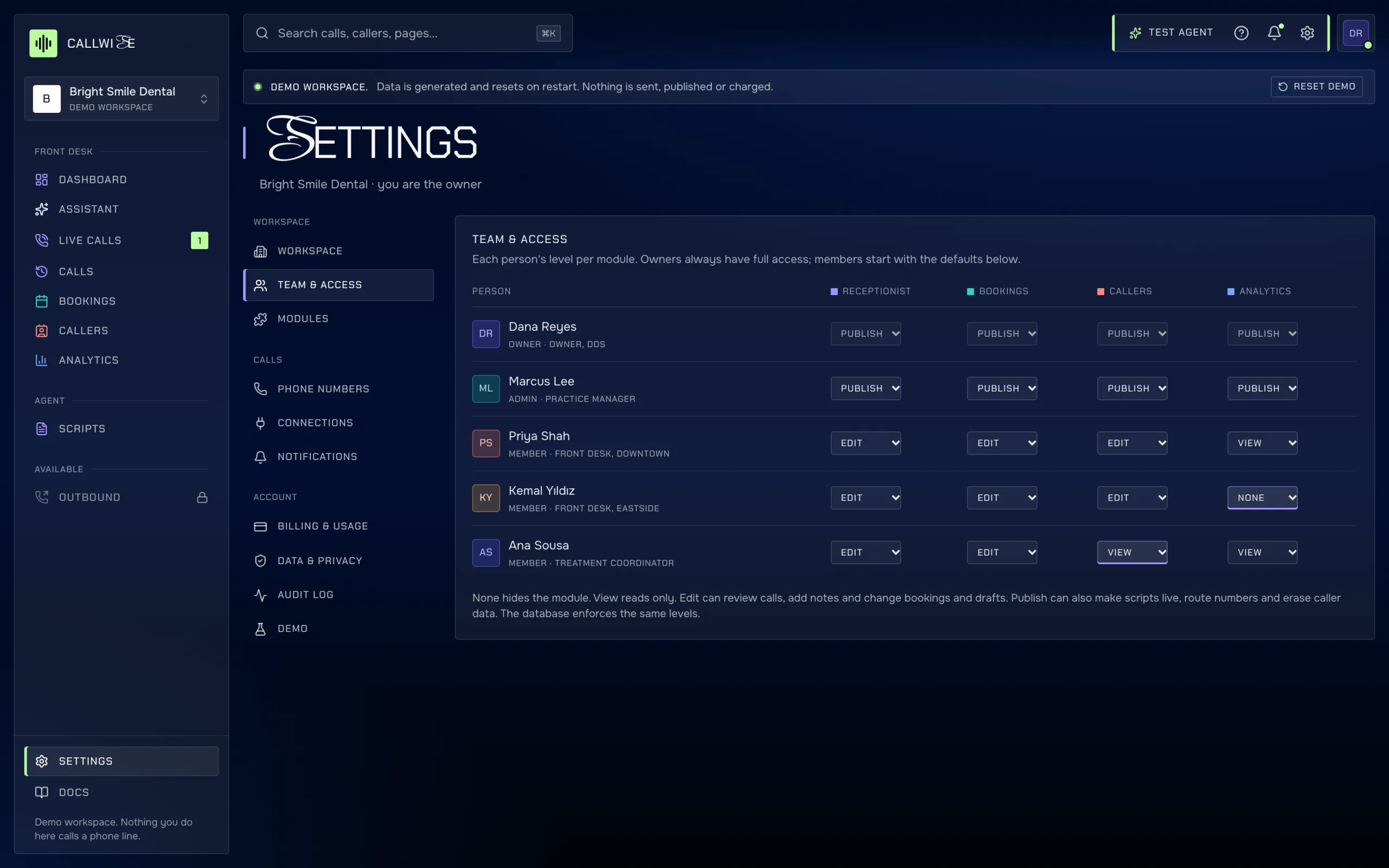
  • Settings page
    callwise-demo-app.vercel.app/app/settings

    Settings

    Workspace, team, modules, phone numbers, notifications, privacy and the audit log.

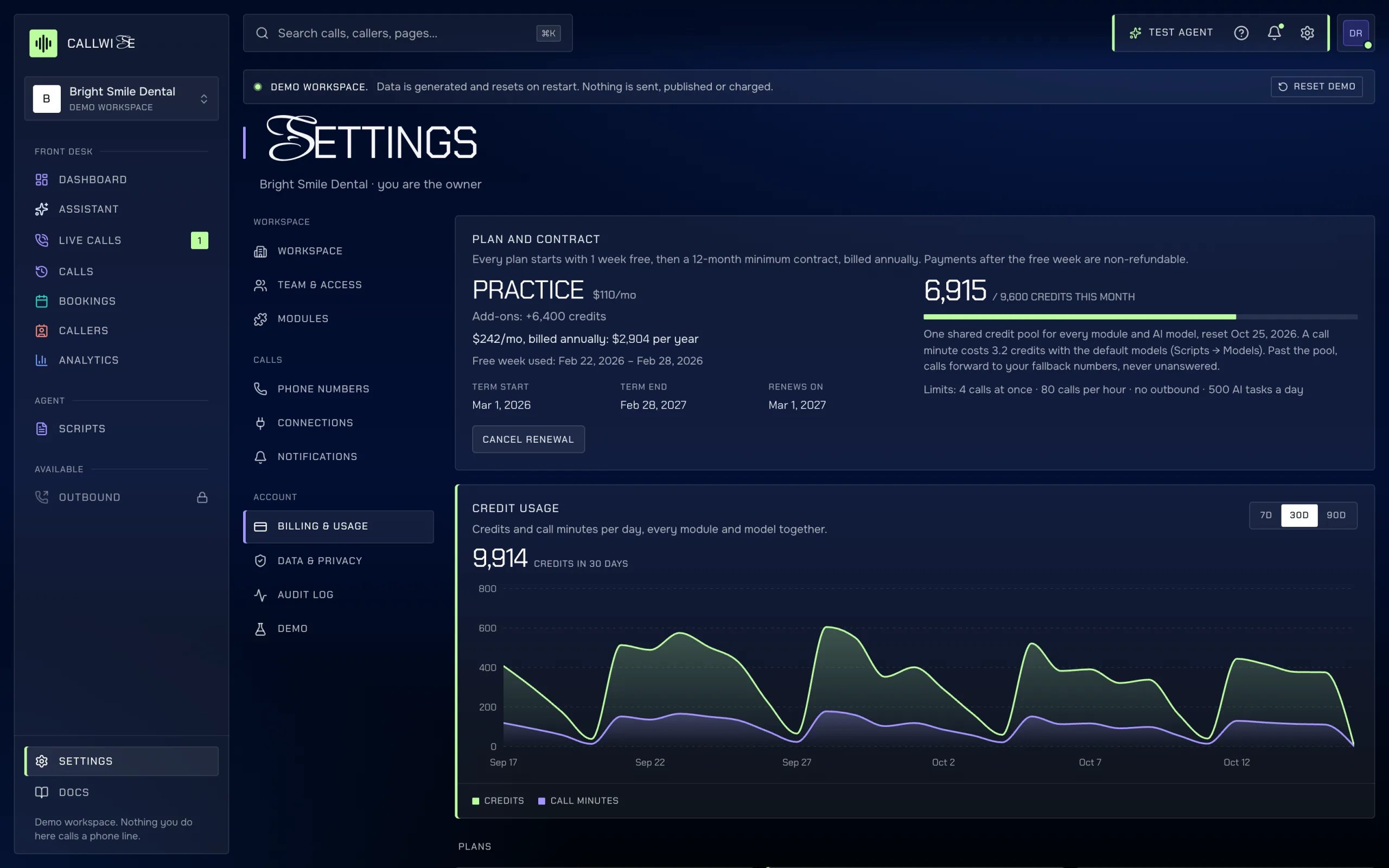
  • Billing page
    callwise-demo-app.vercel.app/app/settings?tab=billing

    Billing

    The plan, the contract term and the credit pool.

05Every screen

  • Callwise Calls page on a laptop: call history and the selected call’s transcript (demo data).

    Laptop

    Calls: the call history and the selected call’s transcript.

  • Callwise Bookings week calendar on an iPad (demo data).

    iPad

    Bookings: the week calendar at tablet width.

  • Phone

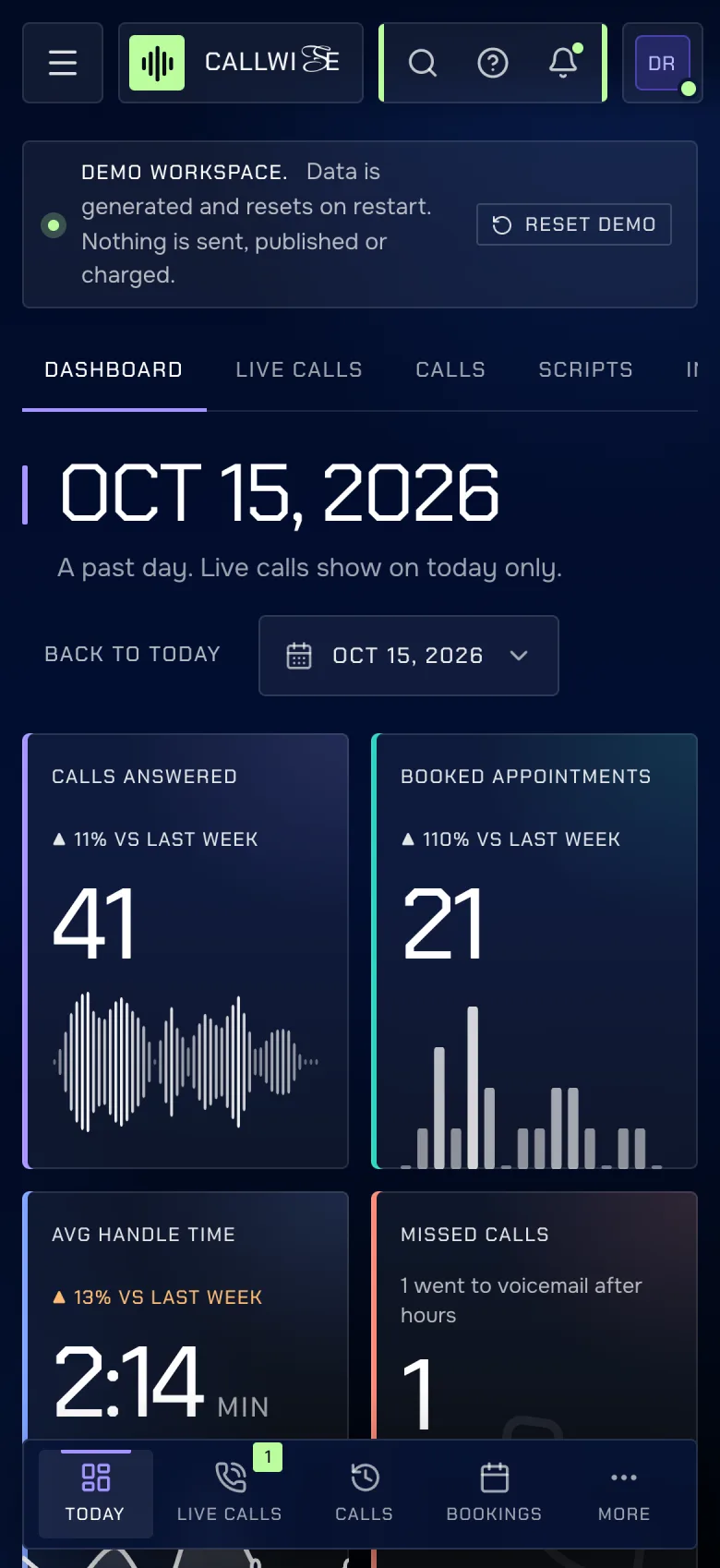
    Live calls: the call in progress, at phone width.

02Modules

Pay for the parts you use

Receptionist and Bookings are in every plan; Callers, Analytics and Outbound depend on the plan. Each module has at most four pages, and each page shows only the data listed below. One Settings page holds the team, phone numbers, connections, billing and privacy settings.

Answers every call, books and hands over by your rules.

  • DashboardToday at a glance: calls, bookings, handle time, missed calls and the live call.
  • Live callsCalls in progress with a live transcript. Take over when needed.
  • CallsEvery call with transcript, AI summary, recording, intent, outcome and sentiment.
  • ScriptsGreeting, hours, services, handoff rules and voice. Test, then publish.

Every plan · every industry pack

Appointments the agent and your team made, by day and week.

  • BookingsDay board, week grid and list of appointments, with the call that made each one.

Every plan · every industry pack

Everyone who called, with history, notes and tags.

  • CallersCaller profiles with call timeline, bookings, notes, tags and data erase.

Practice, Group, or add-on: Callers module · every industry pack

Volume, conversion, handle time and when people call.

  • AnalyticsTrends over 7, 30 or 90 days, outcomes, intents, the hour heatmap and minutes used.

Practice, Group, or add-on: Analytics module · 3 of 5 industry packs

Reminder calls, no-show recovery and recalls.

  • OutboundReminder campaigns and the queue of scheduled outbound calls.

Group, or add-on: Outbound module · 4 of 5 industry packs

03Connections

What it connects to, and how far along each one is

In private preview every outside service is simulated, runs through the voice service, or is planned. Nothing here sends a real call, text or request yet.

Brand logos from Simple Icons (https://simpleicons.org, CC0 1.0). Logos are trademarks of their respective owners and are used only to identify integrations; no endorsement is implied. Brands not in Simple Icons are shown as monograms.

05Pricing

Three plans and five industry packs

1 week free, then per month, billed annually: list minus 12%. Nothing lists above $290 a month, and packs bundle more modules for less.
Compare plans and packs

Solo

$44/mo

billed annually ($528)

1 week free

One location, one AI receptionist.

800 credits/mo · 1 agent · 1 number

Practice

Most chosen

$110/mo

billed annually ($1,320)

1 week free

For a busy clinic with a front-desk team.

3,200 credits/mo · 3 agents · 2 numbers

Group

$242/mo

billed annually ($2,904)

1 week free

Several locations, reminders and recalls.

9,600 credits/mo · 10 agents · 5 numbers

Your first purchase starts with 1 week free: $0 today, the annual total is charged on day 7, and cancelling during the free week costs nothing. From then on every plan, pack and add-on is a 12-month minimum contract, billed annually in advance and non-refundable. There is no month-to-month option. You can cancel the renewal any time before the renewal date. Terms · Cancellation & refund policy

06Questions

Straight anSwers

What clinics ask before they let software pick up the phone.
01Do callers know the call is recorded?
Recording is a setting in Data & privacy. When it is on, the agent reads a recording notice at the start of the call, before anything else. When it is off, you still get a transcript and summary but no audio. Consent rules differ by state and country (some require every party to agree), so check yours before turning recording on.
02What happens after hours?
You choose per agent. Either the agent answers around the clock, or it answers during your opening hours and after-hours calls go to voicemail. A clinic can also run a separate after-hours line that covers several locations. Bookings made at night show up on the board the next morning with the call that made them.
03When does it hand a call to a person?
When one of your handoff rules matches: the caller asks for a person, a billing or insurance question gets complex, a complaint or negative sentiment is detected, the treatment is above a price you set, or the same number called again within a set number of days. You switch each rule on or off in Scripts. The handoff reason is saved on the call.
04What if we use up our included credits?
No call goes unanswered. Each plan includes a monthly pool of credits that every call draws from. By default, calls past the pool forward to your fallback number so a person picks up. Owners get an alert at 80% and at 100%. If you prefer the agent to keep answering, you can opt in to overage at $0.03 a credit.
05Can we try it first?
Yes. Every first purchase starts with 1 week free, one trial per customer: payment details at checkout, $0 that day, and the annual total is charged on day 7, when the 12-month term starts. Cancel during the free week and nothing is charged. After the first charge the term is non-refundable.
06Is Callwise HIPAA compliant?
Not yet. Callwise is not yet certified or audited for HIPAA, GDPR or KVKK, and it has no signed business associate agreements with its providers. It is in private preview. Please don't send real patient calls through it until that work is done. The docs list exactly what the database enforces today.
07Who processes call data?
A telephony carrier carries the call, a speech service turns audio into text and back, and Anthropic's Claude writes summaries and classifies intent and sentiment. You set how many days recordings and transcripts are kept, and you can erase a caller, which anonymises their past calls.
08Can staff edit what the agent said?
No. Transcripts, outcomes, durations and recordings are written only by the voice service. Staff can mark a call reviewed, flag it and add notes. The database enforces this, not just the screen.